
01
Record the drive.
Start and stop a trip yourself, or enable phone auto-tracking with OdO Plus. Your iPhone records the mileage.
THE IPHONE MILEAGE LOG
Your work takes you places.
Keep a clear record of how you got there.
Record your drives, review what they were for, and export your mileage when you need it. All from your iPhone.
iPhone · iOS 17 or later · No OdO account required
A ROUTINE THAT FITS YOUR DAY
For the client visit, the supply run, and the drive back home.
Start and stop a trip yourself, or enable phone auto-tracking with OdO Plus. Your iPhone records the mileage.
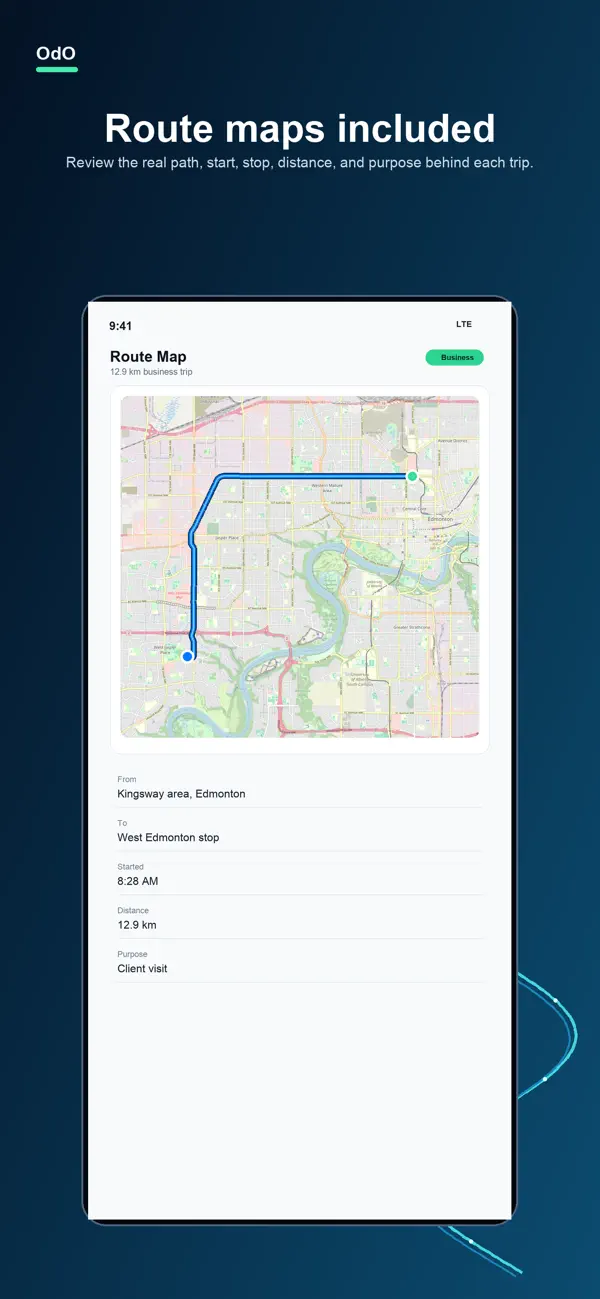
Review the route and choose Business, Personal, or Ignore. Add a purpose and save the places you visit.
Check monthly and annual totals, finish your review queue, and share a CSV or a PDF report with Plus.
YOUR LOG, AT A GLANCE
A route you can review. A log you control. Your mileage, ready when you need it.
Screenshots currently published on the App Store. Illustrative mileage; PDF reports require OdO Plus.
YOUR MILES. YOUR BUSINESS.
Your trips, route points, saved places, and reports stay on your iPhone unless you choose to export or share them.
Read the privacy policySTART SIMPLE. GO AUTOMATIC.
Start with manual logging. Add Plus for everyday automation.
For a mileage log you manage yourself.
For phone auto-tracking and PDF reports.
*PDF reports and automatic tracking require OdO Plus. See current subscription options and pricing in the app. Automatic tracking requires location permissions and setup.
Yes. OdO records mileage using your iPhone’s location, so it works independently of your vehicle’s make or model. No vehicle account or special hardware is required.
OdO Plus, Phone auto-tracking enabled in OdO, and Location access set to Always. Precise Location helps capture routes. Check the app’s capture readiness before relying on it and review recorded trips afterward. Background location can affect battery life.
Manual trip logging, trip review, saved places, mileage summaries, and CSV export. OdO Plus adds background phone auto-tracking and PDF reports. Current subscription options and prices are shown in the app before purchase.
No OdO account is required for your mileage log. Your trips, saved places, and reports are stored on your device. Apple handles purchases through your App Store account.
You can export reviewed mileage records as CSV, or as PDF with OdO Plus, for bookkeeping, reimbursement, or discussion with your accountant. OdO records trips; you decide their purpose and classification. It does not determine tax eligibility.
MAKE ROOM FOR THE DRIVE.
For iPhone with iOS 17 or later.